
Why Instagram grid reordering is a big deal
Authored by hdtoday.id, Jun 12, 2026
For over a decade, Instagram profiles worked like a diary nobody could edit. Post something, and it locked into place at the top of your grid, pushing everything else down in strict chronological order. Change your mind about the layout? Your only option was deleting the post and uploading it again, losing comments, likes, and reach in the process. That single design constraint shaped how millions of people planned their feeds, often forcing awkward compromises between good content and a good-looking grid.
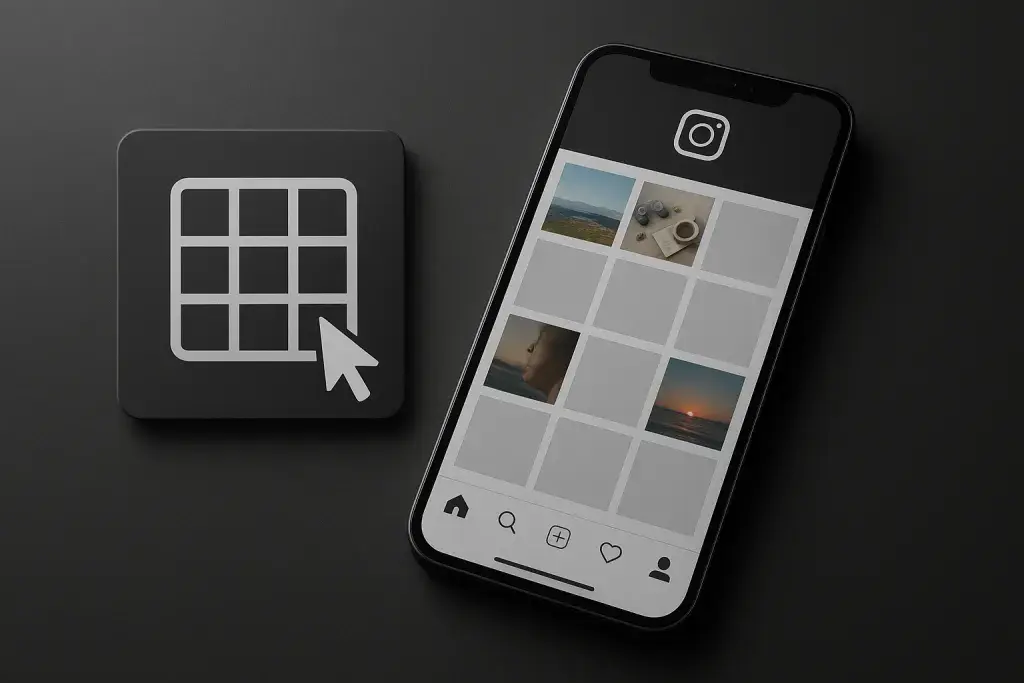
That constraint is now gone, or at least loosening. Instagram grid reordering lets users physically rearrange the sequence of posts on their profile without deleting anything. It sounds like a small interface tweak, but it quietly undoes years of rigid behavior baked into how the platform displays content. For creators, small businesses, and brands that treat their profile as a portfolio, this changes the calculus of what to post, when to post it, and how to present a cohesive visual story. Anyone serious about growing a following already knows that visuals and strategy go hand in hand, and pairing this new flexibility with proven tips to boost instagram engagement can meaningfully change how a profile performs.
This piece breaks down what the feature actually does, why it matters more than it might first appear, and how to use it without making the mistakes that come with any new tool. Expect concrete guidance, not just a description of a button.
1. What Is Instagram Grid Reordering, Exactly?
Instagram grid reordering is the ability to change the position of existing posts on your profile grid without removing or reuploading them. Previously, the grid was purely chronological - the newest post always sat top-left, and there was no native way to move an older post forward or a recent one back. If someone wanted a different visual arrangement, the workaround was deleting a post and posting it again, which reset engagement metrics and lost the original comment thread.
With this feature, that workaround becomes unnecessary. Users can select existing posts and drag them into new positions, and the grid updates instantly to reflect the new order. Captions, likes, and comments stay attached to each post regardless of where it sits in the layout. The feature is rolling out gradually, and not every account type has identical access yet, so checking your own profile settings is the fastest way to confirm availability.
- Move a post's position without deleting or reuploading it
- Preview how the grid will look before confirming changes
- Rearrange several posts in a single editing session
- Keep original engagement data intact after reordering
Consider a photographer who posts in the order shoots are edited, not the order they'd want displayed. Before this update, achieving a color-coordinated or theme-based grid meant either front-loading uploads with pinpoint timing or accepting a messier layout. Now that same photographer can build a portfolio-style feed after the fact, adjusting the sequence once several images are already live.
2. The Instagram Grid Reordering Update: What Changed and When
The instagram grid reordering update did not arrive as a single global switch flipped for every user simultaneously. Like many Instagram features, it has moved through a staged rollout, appearing for some accounts before others. This is standard practice for the platform when testing how a feature performs under real usage before expanding access further.
2.1 Rollout Status and Availability
Availability varies by account type and region, and it is not guaranteed that personal, creator, and business accounts all received the feature on the same timeline. The safest way to check is directly within the app: open your profile, tap the edit or grid management option, and see whether a reordering function appears. If it's not there yet, it may simply be a matter of waiting for the rollout to reach your account rather than a permanent limitation.
2.2 What's New Compared to Previous Instagram Layout Tools
Before this update, anyone determined to control their grid's appearance relied on third-party planning apps. These tools let users preview a layout before posting to Instagram, but they operated outside the platform and required manual uploading through Instagram itself once the plan was finalized. They never let you touch posts that were already live.
| Feature | Before the Update | After the Update |
|---|---|---|
| Changing post order | Delete and repost required | Drag and rearrange directly |
| Engagement data | Lost when reposting | Preserved during reordering |
| Planning tools | Third-party apps only | Native in-app option available |
| Editing live posts | Not possible | Fully supported |
Early reactions from creators have leaned positive, largely because the feature removes a genuine point of friction that existed for as long as Instagram has had a grid view. People who previously spent hours planning posts around a hypothetical future layout can now adjust after the fact instead of guessing correctly the first time.
3. Why This Update Is a Big Deal: The Real Impact
The significance of instagram grid reordering isn't really about convenience, though convenience is part of it. It's about control over first impressions. A profile grid is often the first thing a potential follower sees before deciding whether to tap "follow," and for years that first impression was determined by whatever posting order happened to occur, not by deliberate design.
3.1 Impact on Personal Branding and Aesthetic Control
For individuals building a personal brand, the grid functions like a visual resume. A cohesive color palette, consistent framing, or thematic arrangement communicates professionalism faster than any bio text can. Grid reordering means someone can build that cohesion incrementally, adjusting the sequence as new posts come in rather than needing to plan the entire aesthetic months in advance.
3.2 Impact on Businesses and Marketing Strategy
Businesses running seasonal campaigns or product launches often want their grid to tell a specific story: teaser, reveal, follow-up, testimonial. Under the old system, if a competitor's product news or an unrelated interruption forced an off-schedule post, it would break that sequence permanently. Now that sequence can be restored or rearranged after the fact, keeping the campaign narrative intact even when real-world timing doesn't cooperate.
3.3 Impact on Content Planning and Creator Workflow
Creators who previously deleted and reposted content to fix layout issues were sacrificing real performance data every time. Comments disappeared, save counts reset, and the algorithm treated the repost as an entirely new, unproven piece of content. Removing that trade-off means creators can experiment with layout more freely without the constant fear of losing momentum on a well-performing post.
- Influencers maintaining a consistent visual identity across sponsored and personal content
- Small businesses sequencing product launches or promotional storytelling
- Photographers and artists curating a portfolio-style feed
- Agencies managing multiple client accounts with strict brand guidelines
Picture a small business that posts a product photo, then an unrelated behind-the-scenes video interrupts the sequence a day later due to timing constraints. Previously, that interruption would sit permanently between two product posts, breaking the intended visual flow. With reordering, the business can simply move the behind-the-scenes post elsewhere in the grid once the campaign sequence matters more than strict chronology.
4. How to Use Instagram Grid Reordering: A Step-by-Step Guide
Using the feature is straightforward once it's available on your account, though the exact wording of menu options may shift slightly as Instagram continues refining the interface.
- Open your Instagram profile and tap the edit or grid management option.
- Select the reordering or "arrange posts" function if it appears.
- Choose the posts you want to move within the grid.
- Drag each selected post to its new position.
- Preview the updated grid layout before confirming.
- Save the changes to apply the new arrangement to your live profile.
There are current limitations worth knowing before relying heavily on this feature. Reels typically sit in a separate section of the profile and are not always included in the same reordering function as standard grid posts. There may also be a cap on how many posts can be rearranged in a single session, which matters if you're planning a large-scale layout overhaul rather than a small adjustment.
A practical habit worth adopting: sketch your intended layout roughly before making changes, even if it's just a simple grid drawn on paper or in a notes app. Reordering removes the need for perfect upload timing, but it doesn't remove the value of planning ahead - it just makes execution more forgiving.
5. Instagram Grid Reordering vs. Other Grid Management Methods
Native reordering doesn't automatically make third-party planning tools obsolete, but it does change when and why someone might still use them. Planning apps remain useful for visualizing a grid before anything gets posted, especially for users managing high posting volume or working with a team that needs to approve layouts before publishing.
| Method | Ease of Use | Cost | Control Level | Best For |
|---|---|---|---|---|
| Native grid reordering | Simple, built into the app | Free | High, but limited to existing posts | Quick adjustments after posting |
| Third-party planning apps | Requires learning a separate tool | Often free with paid tiers | High, includes pre-posting preview | Planning entire layouts in advance |
| Manual delete and repost | Time-consuming | Free | Low, risks losing engagement | Rarely recommended now |
The most efficient approach for many creators is combining both: use a planning app to map out a layout before posting, then rely on native reordering for minor fixes afterward. This hybrid workflow reduces the pressure of getting every post perfectly timed while still allowing for polished, deliberate visual planning.
6. Common Mistakes and Risks to Avoid
New features tend to invite overuse, and grid reordering is no exception. Just because the tool exists doesn't mean constant rearranging is a good habit.
- Reordering the grid too frequently, which can make a profile feel inconsistent to returning visitors
- Ignoring captions and context when moving posts, creating a sequence that reads oddly out of order
- Disrupting an intentional storytelling arc by accident while chasing a purely visual layout
- Assuming reordering fixes poor-quality content rather than addressing the actual issue
One risk worth taking seriously involves follower perception. If a profile's layout shifts dramatically overnight, returning visitors may briefly lose track of context, especially if captions reference "the post above" or reply to a specific sequence of events. Reordering is a tool for refinement, not a substitute for thoughtful captioning or consistent content quality.
7. What's Next: The Future of Instagram Grid Customization
Instagram has a pattern of testing a feature narrowly before expanding it, so it's reasonable to expect the instagram grid reordering latest version to keep evolving. Given how the platform has blended Reels, Stories highlights, and grid posts into an increasingly unified profile experience, deeper integration between these formats seems like a logical next step, even if the specifics remain unconfirmed.
What's already clear is that the underlying philosophy has shifted. Instagram is moving away from treating the grid as a strict, unchangeable timeline and toward treating it as a flexible display users can shape intentionally. That shift alone justifies the attention this update has received, regardless of what specific features follow it.
Questions and Answers
Does reordering my grid affect my likes, comments, or saved post data?
No. Reordering only changes the visual position of a post within the grid. Likes, comments, saves, and view counts remain attached to the original post exactly as they were before the change.
Can I reorder Reels and regular posts together?
Not necessarily. Reels often display in a separate section of the profile, and depending on your account's current version of the feature, reordering may apply only to standard grid posts rather than mixed content types.
Is grid reordering available on all account types?
Availability depends on the rollout stage your account has reached. Personal, creator, and business accounts may not all receive access at the same time, so checking your profile's edit or grid settings directly is the most reliable way to confirm.
Will reordering my grid notify my followers?
Reordering is a silent visual change. Followers browsing your profile will simply see the new layout; there is no notification sent to alert them that posts have been rearranged.
Do I need a business account to access this feature?
A business account is not strictly required. The feature has been extended across different account types during rollout, though the exact timing of availability can differ from one account to another.
How often should I reorder my grid without hurting engagement?
Occasional, intentional adjustments to refine a theme or fix a sequencing issue are reasonable. Frequent, drastic rearranging risks confusing regular visitors and can make a profile feel less stable, so treat reordering as a refinement tool rather than a routine habit.